AI search is changing how people look for information.
Instead of typing short phrases like “SEO services,” users now ask full questions such as:
How do I know if my website is optimized for AI search
What is the best way to improve local SEO without hiring an agency
These longer, conversational searches look a lot like prompts people enter into AI tools.
The good news is that you do not need a paid AI visibility platform to see this data. You can find it inside Google Search Console for free.
Below, you will learn how to pull AI-style queries from Search Console, export them, and use them to improve your content.
Watch the Full Video
Why AI-Style Queries Matter
AI search and AI Overviews are shaping how content is surfaced.
Longer queries often mean users are asking detailed, specific questions and expect clear, direct answers. Google is matching natural language to relevant pages more than ever before.
If your site is getting impressions for these longer searches, it means Google sees your content as related to those topics. Now you can use that insight to strengthen your pages.

Step 1: Open the Performance Report in Google Search Console
Log into Google Search Console and go to:
- Performance
- Search Results
Depending on your account, you may see a “Performance” tab with “Search Results” underneath it, or just a “Performance” tab. Both take you to the same data.
Step 2: Change the Date Range to 12 Months
- Click the date filter at the top
- Select Last 12 months
- Click Apply
This gives you a full year of query data so you can see patterns over time instead of short-term fluctuations.
Step 3: Add a Query Filter Using a Regular Expression
- Click Add Filter
- Choose Query
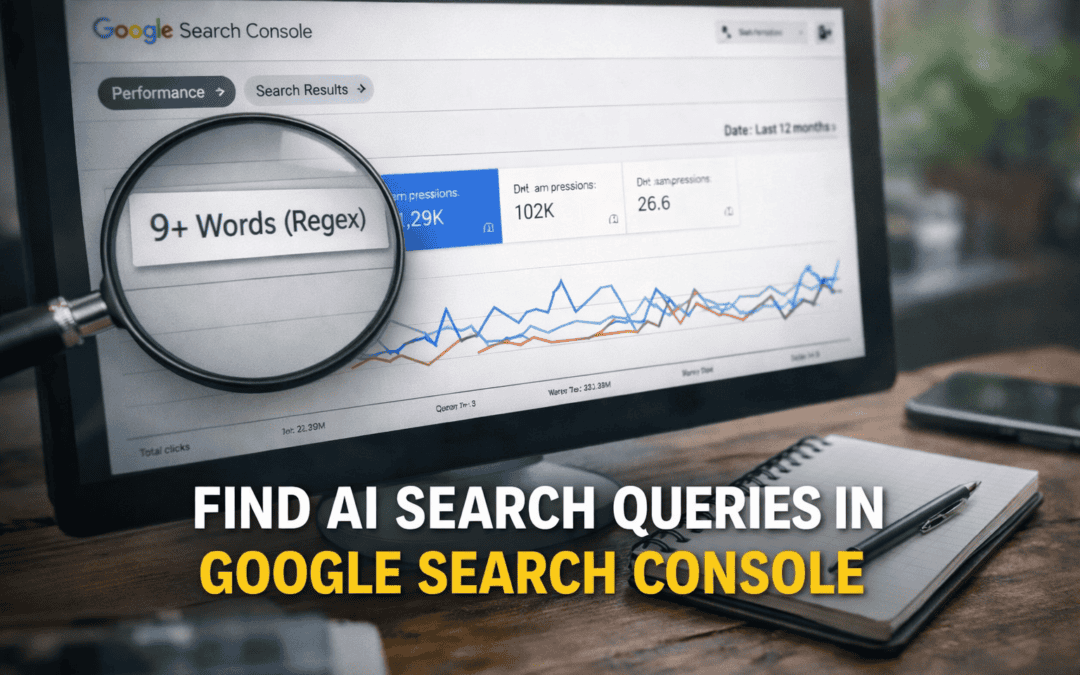
- Select Custom (regex)
Paste in the following regex code:
^(?:\S+\s+){9,}\S+$For example, a regex that targets queries with at least 9 words will surface longer, more conversational searches.
Once applied, you will start seeing queries like:
"How to use Google keyword planner without creating an ad"
"How to add keywords to your website for Google search"
These are much closer to AI prompts than short keyword phrases.
Step 4: Adjust the Word Count to Find True AI Prompts
- Click the existing regex filter
- Change the minimum word count number
- Click Apply
For example, 9 words minimum shows long queries. Increasing that number to 20 will surface very detailed, AI-style prompts.
When you increase the word count, you will often see full question-style searches that mirror how users interact with AI tools.
You can also increase the rows per page to 100 so you can review more queries at once.
Step 5: Export the Data
- Click Export in the top right
- Choose Google Sheets, Excel, or CSV
Search Console will export the exact filtered results you are viewing. Now you can sort, group, and analyze the data more deeply.
How to Use This Data Strategically

Once you have these long queries, the real work begins.
First, look for content gaps. If users repeatedly ask about pricing details, comparisons, step-by-step processes, or AI-related concerns, and you do not clearly address those topics on your site, that is a gap. You may need to expand an existing page or build out a new topic cluster.
Second, review pages that are getting impressions but very few clicks. That often means your page appears in search but does not fully answer the question. You may need clearer summaries, stronger headings that match how users phrase their questions, or an FAQ section that directly addresses those queries. Instead of focusing only on short keywords, align your content with natural language.
Third, track changes over time. Run this filter every few months. If long, conversational queries increase, that suggests more users are searching in AI-style formats and your content may be gaining visibility in AI search results. This gives you behavioral data instead of guesswork.
What Impressions Really Tell You
If your site is getting impressions for long AI-style queries, it means Google sees your content as relevant.
The key question is whether you are clearly answering those questions. If not, you have room to refine your pages with direct answers near the top, clearer subheadings that mirror user language, and stronger topical coverage.
Over time, you should see growth in impressions and engagement from these longer searches.
Final Takeaway
Before paying for AI visibility tools, open Google Search Console and run this filter.
Scan the long queries. Look for patterns. Ask whether your content fully answers those questions.
This simple process gives you free insight into how users are searching in an AI-driven environment and how your site is performing.
If you want to learn more about AI search and the strategies to rank higher with organic search, check out our DIY SEO Courses on skool.

- BKA Content Co-Founder Speaks About SEO At Weber State University - March 18, 2026
- The SEO Strategy That Generated 15,000 Rankings - March 9, 2026
- How to Find AI Search Prompts in Google Search Console - March 3, 2026