Key Takeaways
- Business categories critically impact Google Business Profile rankings in local search.
- Most owners underutilize category options; aim for relevant selections, ideally using all available slots.
- Use ChatGPT to quickly identify appropriate categories based on your website or business info.
- Always verify category suggestions in Google's official list to ensure accuracy and relevance.
- Filling all relevant category slots is an easy local SEO win that many overlook.
In under five minutes, you can fix one of the most common reasons a Google Business Profile doesn’t rank well in local search. Most business owners never realize they’ve set this up incorrectly, and it has nothing to do with reviews or photos.
The issue is business categories.
Google relies heavily on your selected categories to understand what your business actually does. If those categories are incomplete or poorly chosen, your profile may struggle to show up in relevant searches, even if everything else looks solid.
The good news is that you can use ChatGPT to make this process much faster and more accurate.
Why Google Business Profile Categories Matter So Much
Your business categories act as a signal to Google. They influence what types of searches your business can appear in, which competitors you are compared against, and how clearly Google understands your services overall.
Many business owners choose one primary category and stop there. That is a mistake.
Traditionally, Google allows seven categories, and in some accounts, Google appears to be testing up to 10 total category slots. If those extra slots are available to you, you want to use them, as long as the categories are relevant.
Where to Find and Edit Your Categories
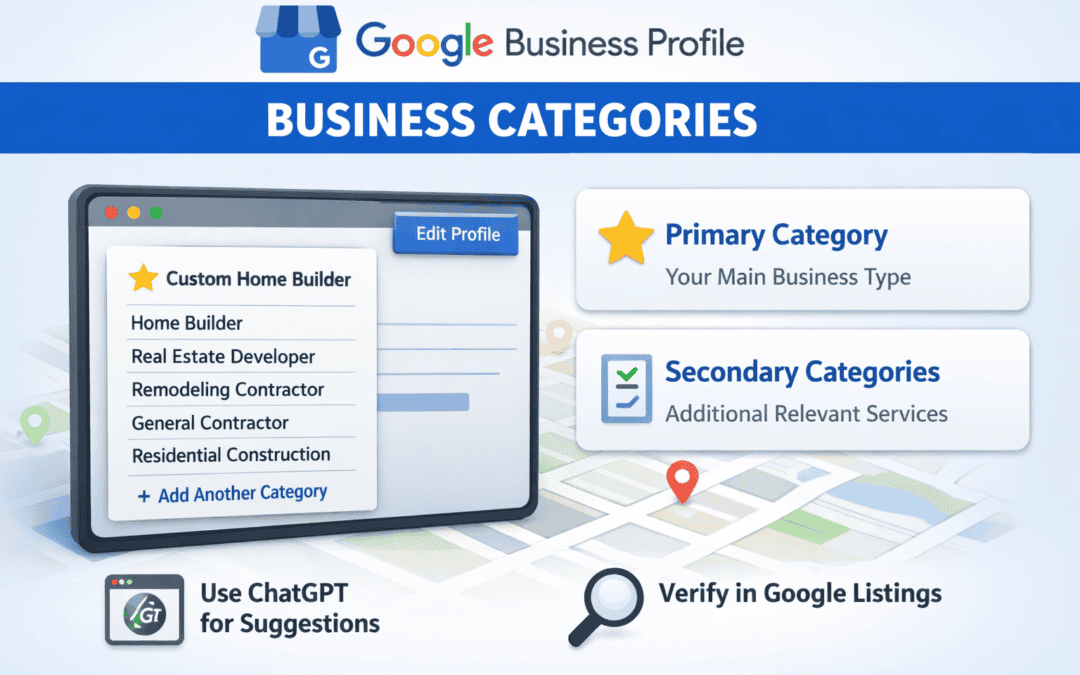
Inside your Google Business Profile, go to Edit Profile > Business Information > Business Category.

This is the section most people underutilize. You will often see profiles with only one or two categories selected when there is room for several more. Your goal is not to add everything possible. It is to add everything relevant.
How to Use ChatGPT to Choose the Right Categories
Instead of scrolling endlessly through Google’s category list and guessing, you can use ChatGPT to do most of the heavy lifting for you. There are two effective ways to do this.
Option 1: Use Your Website URL (Best If Your Site Is Clear)
If you have a website that clearly explains your services, locations, and offerings, this is the fastest approach.
Use a prompt like this:
You are a local SEO expert. Based on this website: [insert homepage URL], suggest one primary Google Business Profile category and five to seven relevant secondary categories that are officially used by Google. Also explain why the primary category is the best choice.
ChatGPT will review the site, pull context, and return category recommendations along with reasoning.
In many cases, it gets you 70 to 80 percent of the way there.
That said, this only works well if your website clearly communicates what you do. If the site is vague, outdated, or poorly structured, you will need to intervene manually.
Always Verify Categories Inside Google
ChatGPT is helpful, but it is not perfect. Some suggested categories may not exist in Google’s official category list, or they may be loosely related but not accurate for your business.

To verify, simply start typing the category name directly inside the Google Business Profile editor. If it does not appear, Google does not support it.
For example, “YouTube SEO marketing agency” may be highly relevant, but if it does not show up in Google’s list, you cannot use it. “DIY Local SEO Course" might sound right, but if it is not selectable, it is not valid.
Only select categories that exist in Google’s system and accurately reflect what the business actually does. It is better to stop at seven strong categories than force irrelevant ones just to hit a number.
Option 2: Manually Feed ChatGPT Your Business Info
If your website is not strong yet, or you want more control, use a manual input prompt instead.
This version asks ChatGPT to act as a local SEO expert using details like your business name, the services you offer, your service area, and any other relevant information you want to provide. From there, it suggests a primary category and several secondary options.
This approach often surfaces different category ideas than the website based prompt, which makes it useful for cross checking and filling gaps.
Again, expect ChatGPT to be mostly right, but not flawless. You still need to confirm which categories actually exist in Google and apply judgment.
The Goal: Fill All Relevant Category Slots
The takeaway is simple. Do not stop at just one category. Use as many relevant categories as Google allows, and always verify them inside your profile.
This is one of the easiest local SEO wins available, and it is often overlooked.
Categories Are Only One Piece of Local SEO
Optimizing your Google Business Profile categories helps Google understand what you do. But to rank consistently, Google also needs clarity on where you do it and how your business is positioned.

That includes optimizing your Google Business Profile description, listed services, location signals, and ongoing profile activity.
If you want to learn the full framework our team uses to improve local rankings, you can join our Skool community and unlock the best local SEO course that breaks it down step by step.

- The Hidden SEO Problem That Content Couldn’t Fix - March 30, 2026
- BKA Content Co-Founder Speaks About SEO At Weber State University - March 18, 2026
- The SEO Strategy That Generated 15,000 Rankings - March 9, 2026